

Large Language Models, or LLMs, power many of the AI tools people use every day. They write emails, answer questions, generate code, and even help with research. The idea behind an LLM is simple: it learns patterns in language and uses those patterns to generate meaningful responses.
This guide explains how an LLM works in a clear, practical way. You’ll also see a Kotlin example to connect theory with real-world use.
What Is an LLM?
An LLM (Large Language Model) is an AI system trained to understand and generate text.
It processes language by learning from massive datasets that include books, articles, and web pages. Through this training, an LLM learns:
- Sentence structure
- Word relationships
- Contextual meaning
It uses this knowledge to produce text that feels natural and relevant.
How Does an LLM Actually Work?
Let’s simplify the process.
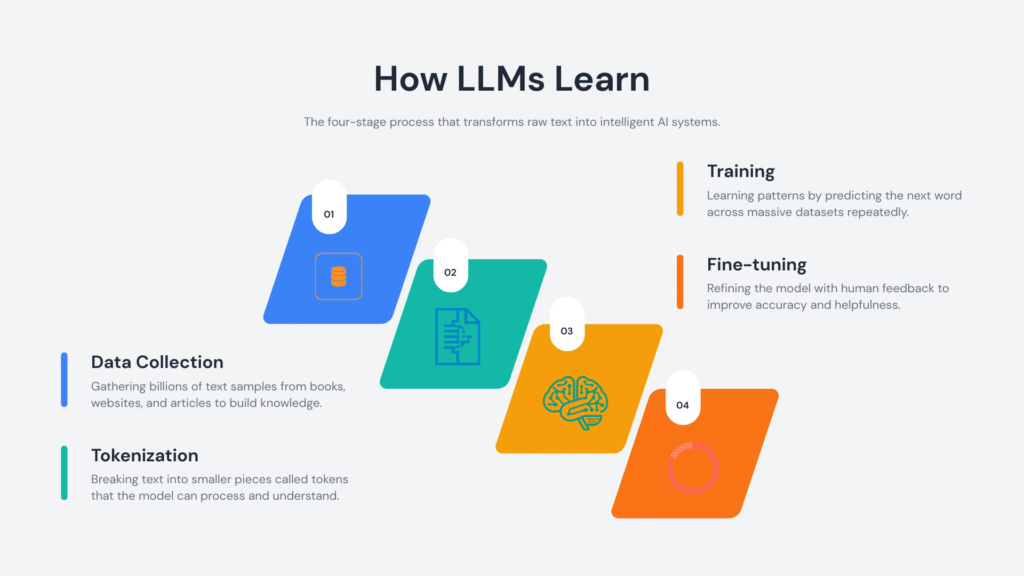
1. Training on Large Text Datasets
An LLM learns by analyzing huge volumes of text. During training, it identifies patterns such as:
- Which words commonly appear together
- How sentences are structured
- How meaning changes with context
This process builds a statistical understanding of language.
2. Tokenization: Breaking Text Into Pieces
Before processing text, an LLM converts it into tokens.
Tokens can represent:
- Whole words
- Parts of words
- Symbols or punctuation
Example:
"Learning LLMs is fun"
Might be split into:
["Learning", "LL", "Ms", "is", "fun"]
This structure allows the LLM to process text efficiently.
3. Context Awareness
An LLM reads surrounding words to determine meaning.
Example:
- “He deposited money in the bank”
- “She sat near the river bank”
The surrounding words guide the correct interpretation.
4. Predicting the Next Token
Prediction drives the entire system.
Given:
“The sky is”
The LLM evaluates probabilities and selects the most likely continuation, such as:
- blue
- clear
- cloudy
It repeats this process token by token to form complete responses.
5. Fine-Tuning and Alignment
Developers refine an LLM after initial training.
This includes:
- Human feedback
- Safety adjustments
- Task-specific tuning
These steps improve accuracy, clarity, and usefulness.
Why LLMs Matter
LLMs handle a wide range of language tasks with a single system.
They support:
- Writing and editing content
- Answering questions
- Translating languages
- Generating and explaining code
- Automating customer interactions
Their flexibility makes them valuable across industries.
Real-World Applications of LLMs
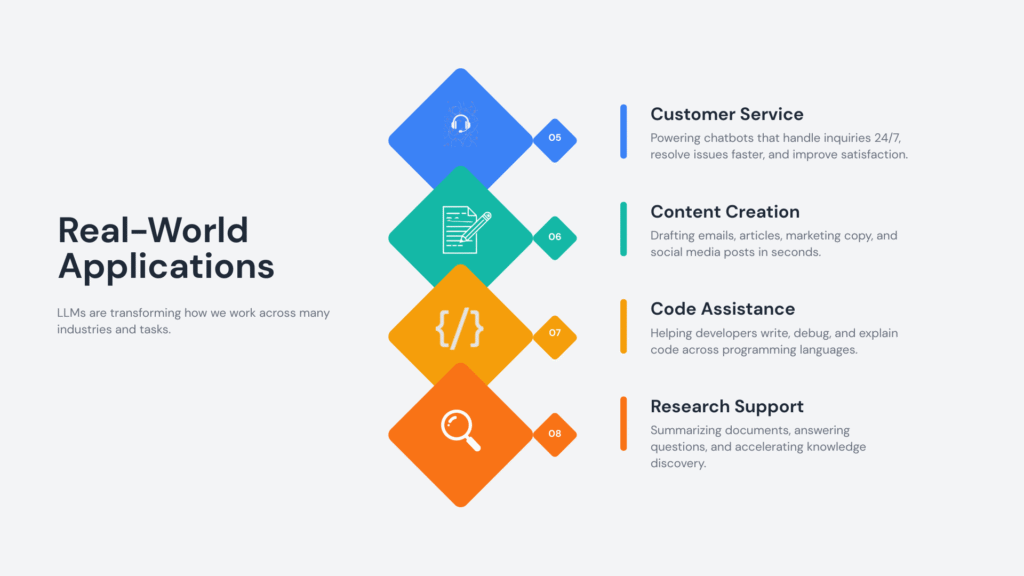
LLMs appear in many tools and platforms:
- Chatbots and virtual assistants
- Coding assistants
- Search engines
- Content generation tools
- Educational platforms
They help teams save time and improve productivity.
Kotlin Example: Calling an LLM API
This example shows how to send a request to an LLM using Kotlin.
import java.net.HttpURLConnection
import java.net.URL

fun main() {
    val apiUrl = "https://api.softaai.com/llm"
    val prompt = "Explain LLM in simple words"
    val url = URL(apiUrl)
    val connection = url.openConnection() as HttpURLConnection
    connection.requestMethod = "POST"
    connection.setRequestProperty("Content-Type", "application/json")
    connection.doOutput = true
    val requestBody = """
        {
            "prompt": "$prompt",
            "max_tokens": 100
        }
    """.trimIndent()
    connection.outputStream.use { output ->
        output.write(requestBody.toByteArray())
    }
    val response = connection.inputStream.bufferedReader().readText()
    println(response)
}
Code Explanation
API Endpoint
val apiUrl = "https://api.softaai.com/llm"This URL represents the service that hosts the LLM.
Prompt Definition
val prompt = "Explain LLM in simple words"The prompt defines the task for the LLM. Clear prompts lead to better responses.
HTTP Connection Setup
val connection = url.openConnection() as HttpURLConnection
connection.requestMethod = "POST"
A POST request sends data to the API.
JSON Request Body
val requestBody = """
{
    "prompt": "$prompt",
    "max_tokens": 100
}
"""
This includes:
- The input prompt
- The maximum response length
Sending the Request
connection.outputStream.use { output ->
    output.write(requestBody.toByteArray())
}
This step sends data to the LLM service.
Reading the Response
val response = connection.inputStream.bufferedReader().readText()
println(response)
The output from the LLM is printed to the console.
Best Practices for Using an LLM
Write Clear Prompts
Specific instructions improve output quality.
Validate Outputs
Review responses for correctness, especially in critical tasks.
Provide Context
Additional details help the LLM generate relevant answers.
Match the Use Case
Adjust prompts and settings based on your goal.
Common Misunderstandings
LLMs Think Like Humans
LLMs rely on pattern recognition and probability.
LLMs Always Provide Correct Answers
Outputs depend on training data and context. Verification helps maintain accuracy.
LLMs Replace Human Expertise
They support decision-making and content creation.
The Future of LLMs
LLMs continue to improve in areas such as:
- Reasoning capabilities
- Multimodal input (text, images, audio)
- Personalization
- Real-time applications
Ongoing research focuses on efficiency, reliability, and safety.
Conclusion
An LLM processes language through pattern recognition and probability. It generates useful text by analyzing context and predicting the next token.
Understanding how an LLM works helps you use it more effectively. This knowledge also builds confidence when working with modern AI tools.