Kotlin’s coroutines make asynchronous programming easier and more efficient. However, managing coroutines properly requires an understanding of CoroutineScope. Without it, your application might create uncontrolled coroutines, leading to memory leaks, unexpected behavior, or inefficient resource usage. In this blog, we’ll take a deep dive CoroutineScope in Kotlin, explore how to create a custom CoroutineScope, and...
Kotlin has revolutionized the way developers write Android and backend applications. It is known for its concise syntax, safety features, and expressive constructs. But what exactly are Kotlin Constructs, and how can they help you write cleaner and smarter code? Let’s dive in and unlock the secrets of Kotlin’s most powerful features. What Are Kotlin...
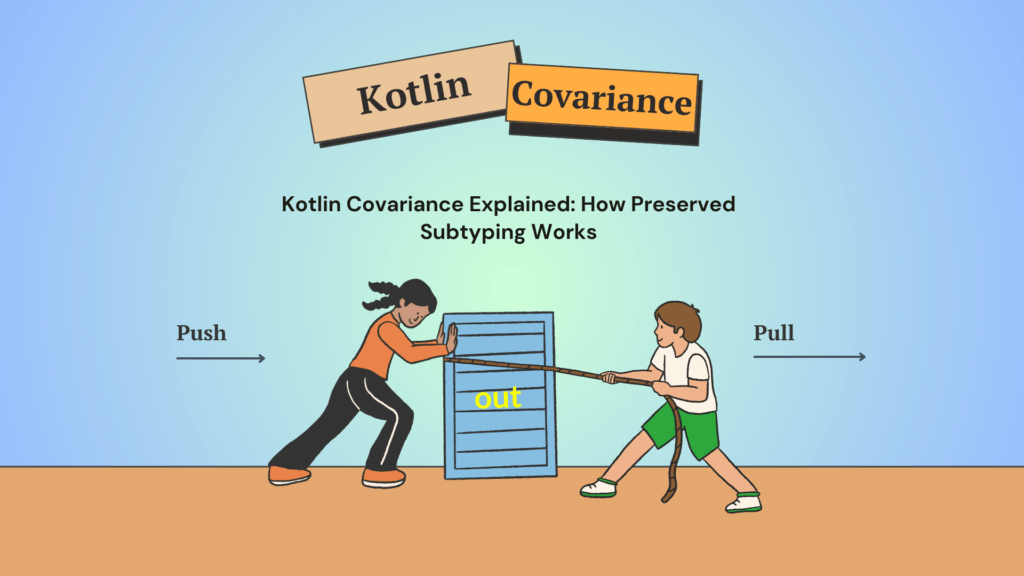
Kotlin is a powerful and modern programming language that makes working with generics easier than Java. One of the most important concepts when dealing with generics in Kotlin is covariance. If you’ve ever seen the out keyword in Kotlin and wondered what it does, this blog is for you. Let’s break down Kotlin covariance in...
Interfaces in Kotlin are a powerful tool that allows developers to achieve abstraction and multiple inheritance in an elegant way. If you’re looking to master Interfaces in Kotlin, this guide will take you through everything you need to know in a simple and practical way. By the end, you’ll be using interfaces like a pro!
Interfaces in Kotlin are a powerful tool that allows developers to achieve abstraction and multiple inheritance in an elegant way. If you’re looking to master Interfaces in Kotlin, this guide will take you through everything you need to know in a simple and practical way. By the end, you’ll be using interfaces like a pro!
What is an Interface in Kotlin?
An interface in Kotlin is a blueprint of a class that defines a set of functions and properties without implementing them. A class that implements an interface must provide the implementation of its functions unless they have default implementations.
Unlike abstract classes, interfaces in Kotlin allow multiple inheritance, making them an essential feature for building scalable and maintainable applications.
Declaring an Interface
Creating an interface in Kotlin is straightforward. You use the interface keyword followed by the name of the interface.
Kotlin
interfaceAnimal {funmakeSound()}
Here, Animal is an interface that declares a function makeSound(). Any class implementing this interface must provide its own implementation of makeSound().
Implementing an Interface
A class implements an interface using the : symbol, just like inheriting a class.
It overrides the makeSound() function and provides a specific implementation.
If a class implements an interface but does not provide an implementation for a function that lacks a default implementation, the code will not compile, resulting in an error.
Default Implementations in Interfaces
Kotlin interfaces can have default implementations for functions, reducing code duplication.
Kotlin
interfaceVehicle {funstart() {println("Vehicle is starting...") }}classCar : Vehicle {// No need to override start() unless customization is needed}funmain() {val myCar = Car() myCar.start() // Output: Vehicle is starting...}
Why Use Default Implementations?
To avoid redundant code.
It allow future updates without breaking existing classes.
Provides a base behavior that classes can override if needed.
Interfaces with Properties
Unlike Java, interfaces in Kotlin can have properties. However, they cannot store state — only define properties that must be implemented by the implementing class.
Allows a class to inherit behavior from multiple sources.
Enables modular and reusable code.
Prevents unnecessary subclassing.
But what if the function signatures are the same? Then what?
Handling Conflicts When Implementing Multiple Interfaces
If multiple interfaces provide the same function signature, Kotlin requires you to resolve the conflict by explicitly specifying which implementation to use.
Kotlin
interfaceA {funshow() {println("From A") }}interfaceB {funshow() {println("From B") }}classC : A, B {overridefunshow() {super<A>.show() // Specify which implementation to use }}funmain() {val obj = C() obj.show() // Output: From A}
Conflict Resolution:
If two interfaces have the same function, Kotlin forces you to explicitly choose one.
The super<InterfaceName> syntax helps resolve ambiguity.
You must explicitly choose which implementation to call.
It helps avoid ambiguity and ensures predictable behavior.
Using Interfaces for Dependency Injection
A common design pattern in Kotlin development is Dependency Injection (DI) using interfaces.
Decouples dependencies, making testing and modifications easier.
Enables mocking in unit tests by substituting different implementations.
Supports scalability, as different logging mechanisms (file, database) can be plugged in easily.
When to Use Interfaces in Kotlin
Using interfaces in Kotlin makes sense in scenarios where:
You need multiple inheritance (since Kotlin doesn’t support multiple class inheritance).
You want to enforce a contract that multiple classes must follow.
You need default implementations to share common logic without creating base classes.
You want to design loosely coupled and modular components.
Conclusion
Interfaces in Kotlin provide a simple yet powerful way to achieve abstraction, multiple inheritance, and code reuse. By learning how to declare and implement interfaces, use default methods, and manage multiple interfaces, you can create more structured and maintainable Kotlin applications.
Now that you have a solid understanding of interfaces in Kotlin, try incorporating them into your projects. You’ll see how they make your code more flexible and modular!
Kotlin lambdas are powerful and flexible, but they have a behavior that often surprises developers: when a lambda captures an object, external modifications to that object reflect inside the lambda. This can lead to unexpected side effects, especially if you’re dealing with mutable data. In this blog, we’ll explore why this happens, how capturing works...
Kotlin is known for its concise, expressive syntax and developer-friendly features. However, if you’ve worked with certain Kotlin libraries, you may have encountered a Delicate API warning. This warning often leaves developers wondering: Should I ignore it? or Is it something I need to worry about?
Let’s break it down in simple terms so you can make an informed decision.
What is a Delicate API in Kotlin?
A Delicate API in Kotlin is an API that requires extra caution. It’s not necessarily unsafe, but misusing it can lead to unexpected behavior, bugs, or maintenance headaches.
When you use a Delicate API, the compiler warns you with a message like this:
Kotlin
funriskyFunction() { GlobalScope.launch { // warning: Launching coroutine in an unsafe wayprintln("Running in GlobalScope") }}
In this snippet, launching a coroutine in the GlobalScope triggers the delicate API warning, reminding you to handle this coroutine with care. Actually, it creates a coroutine that lives for the application’s lifetime, which can lead to memory leaks if not handled correctly.
Why Does Kotlin Mark APIs as Delicate?
Kotlin marks certain APIs as Delicate for the following reasons:
Potential for Misuse — Some APIs can cause memory leaks, thread issues, or unexpected behavior if used incorrectly.
Encouraging Safer Alternatives — Kotlin wants developers to use best practices, and marking APIs as Delicate nudges them toward better alternatives.
API Evolution — Some APIs might change or be deprecated in the future, and this warning helps developers prepare for that.
Should You Ignore the Delicate API Warning?
Ignoring a Delicate API warning isn’t always a bad idea, but it depends on the situation. Let’s look at both sides:
When It’s Safe to Use
You Fully Understand the API — If you know the risks and how to mitigate them, you can use the API confidently.
It’s Necessary for Your Use Case — Some APIs are marked delicate but still provide valuable functionality in specific scenarios.
You Have Proper Handling — If you ensure proper cleanup and error handling, using a Delicate API can be justified.
For example, if you’re working on a quick prototype and don’t mind the risks, using GlobalScope.launch might be acceptable. But in a production environment, you’d typically use structured concurrency instead, like viewModelScope or lifecycleScope.
When You Should Avoid
You’re Uncertain About Its Behavior — If you’re not sure why an API is delicate, it’s best to look for alternatives.
There’s a Recommended Alternative — Many delicate APIs have safer, preferred alternatives that avoid potential pitfalls.
Long-Term Maintenance Matters — If your codebase is meant to be maintained by a team, using a Delicate API might create future headaches.
How to Properly Use a Delicate API
If you decide to use a Delicate API, Kotlin requires you to explicitly opt-in by adding the @OptIn annotation. Here’s how:
Kotlin
@OptIn(DelicateCoroutinesApi::class)funsafeUsage() { GlobalScope.launch {println("Running in a GlobalScope coroutine") }}
Alternatively, if you’re working in a file where you need multiple delicate APIs, you can opt in at the file level:
Kotlin
@file:OptIn(DelicateCoroutinesApi::class)funanotherFunction() { GlobalScope.launch {println("Using a Delicate API") }}
This tells Kotlin that you acknowledge the risks and accept responsibility for using the API correctly.
Best Practices for Avoiding Issues
If you want to write safe and maintainable Kotlin code, follow these best practices:
Prefer Structured Concurrency — Instead of GlobalScope.launch, use CoroutineScope and viewModelScope in Android apps.
Read the Documentation — Understand why an API is marked delicate before using it.
Look for Alternatives — Kotlin often provides safer ways to achieve the same goal.
Use @OptIn Wisely – Only opt-in when you are confident in the API’s behavior.
Keep Code Maintainable — If others will work on your code, document why you chose to use this API.
Conclusion
Kotlin’s Delicate API warning isn’t there to annoy you — it’s a helpful reminder to be cautious. While you can ignore it by opting in, it’s best to understand why an API is marked delicate before doing so. If there’s a safer alternative, use it. If you must use a Delicate API, do so responsibly and document your reasoning.
Generics are a powerful feature in Kotlin that allow you to write flexible, reusable code. However, sometimes you need to restrict the types that can be used with generics. This is where type parameter constraints in Kotlin come into play. By defining constraints, you can ensure that your generic types work only with specific kinds of objects, enhancing type safety and reducing errors.
In this blog post, we will dive deep into type parameter constraints in Kotlin, exploring their importance, syntax, and practical usage with examples.
What Are Type Parameter Constraints?
In Kotlin, generics allow you to write code that can work with multiple types. However, not all types are compatible with every operation. Type parameter constraints help enforce certain conditions on the type arguments, ensuring that they adhere to specific requirements.
A type parameter constraint limits the types that can be used with a generic class, function, or interface. The most common constraint in Kotlin is the upper bound constraint, which specifies that a generic type must be a subclass of a particular type.
When you specify a type as an upper bound constraint for a type parameter of a generic type, the corresponding type arguments in specific instantiations of the generic type must be either the specified type or its subtypes(For now, you can think of subtype as a synonym for subclass).
To specify a constraint, you put a colon after the type parameter name, followed by the type that’s the upper bound for the type parameter. In Java, you use the keyword extends to express the same concept: T sum(List list)
Constraints are defined by specifying an upper bound after a type parameter
Constraints are defined by specifying an upper bound after a type parameter
Let’s start with an example. Suppose we have a function called sum that calculates the sum of elements in a list. We want this function to work with List<Int> or List<Double>, but not with List<String>. To achieve this, we can define a type parameter constraint that specifies the type parameter of sum must be a number.
Kotlin
fun <T : Number> sum(list: List<T>): T {var result = 0.0for (element in list) { result += element.toDouble() }return result as T}
In this example, we specify <T : Number> as the type parameter constraint, indicating that T must be a subclass of Number. Now, when we invoke the function with a list of integers, it works correctly:
Kotlin
println(sum(listOf(1, 2, 3))) // Output: 6
The type argument Int extends Number, so it satisfies the type parameter constraint.
You can also use methods defined in the class used as the bound for the type parameter constraint. Here’s an example:
In this case, T is constrained to be a subclass of Number, so we can use methods defined in the Number class, such as toDouble().
Now let’s consider another example where we want to find the maximum of two items. Since it’s only possible to compare items that are comparable to each other, we need to specify that requirement in the function signature using the Comparable interface:
Kotlin
fun <T : Comparable<T>> max(first: T, second: T): T {returnif (first > second) first else second}println(max("kotlin", "java")) // Output: kotlin
In this case, we specify <T : Comparable<T>> as the type parameter constraint. It ensures that T can only be a type that implements the Comparable interface. Hence, we can compare first and second using the > operator.
If you try to call max with incomparable items, such as a string and an integer, it won’t compile:
Kotlin
println(max("kotlin", 42)) // ERROR: Type parameter bound for T is not satisfied
The error occurs because the type argument Any inferred for T is not a subtype of Comparable<Any>, which violates the type parameter constraint.
In some cases, you may need to specify multiple constraints on a type parameter. You can use a slightly different syntax for that. Here’s an example where we ensure that the given CharSequence has a period at the end and can be appended:
Kotlin
fun <T> ensureTrailingPeriod(seq: T)where T : CharSequence, T : Appendable {if (!seq.endsWith('.')) { seq.append('.') }}val helloWorld = StringBuilder("Hello World")ensureTrailingPeriod(helloWorld)println(helloWorld) // Output: Hello World.
In this case, we specify the constraints T : CharSequence and T : Appendable using the where clause. This ensures that the type argument must implement both the CharSequence and Appendable interfaces, allowing us to use operations like endsWith and append on values of that type.
Multiple Constraints Using where
Kotlin allows multiple constraints using the where keyword. This is useful when you want a type to satisfy multiple conditions.
Kotlin
// Generic function with multiple constraintsfun <T> processData(item: T) where T : Number, T : Comparable<T> {println("Processing: ${item.toDouble()}")}funmain() {processData(10) // Valid (Int is both Number and Comparable)processData(5.5) // Valid (Double is both Number and Comparable)// processData("Hello") // Error: String does not satisfy Number constraint}
Here,
T : Number, T : Comparable<T> ensures that T must be both a Number and implement Comparable<T>.
Int and Double satisfy both constraints, so they work fine.
A String would cause a compilation error because it is not a Number.
Type Parameter Constraints in Classes
You can also apply type parameter constraints to classes. This is useful when defining reusable components.
Kotlin
// Class with type parameter constraintsclassCalculator<T : Number> {funsquare(value: T): Double {returnvalue.toDouble() * value.toDouble() }}funmain() {val intCalc = Calculator<Int>()println(intCalc.square(4)) // Output: 16.0val doubleCalc = Calculator<Double>()println(doubleCalc.square(3.5)) // Output: 12.25}
Here,
class Calculator<T : Number> ensures that T is always a Number.
The square function works with Int, Double, or any subclass of Number
Benefits of Using Type Parameter Constraints
Using type parameter constraints in Kotlin offers several advantages:
Improved Type Safety — Prevents incorrect type usage at compile-time.
Better Code Reusability — Enables generic functions and classes that are still specific enough to avoid errors.
Enhanced Readability — Clearly communicates the expected types to developers.
Less Boilerplate Code — Reduces the need for multiple overloaded methods.
Conclusion
Type parameter constraints in Kotlin are a powerful tool that helps you enforce stricter type rules while keeping your code flexible and reusable. By using constraints, you ensure type safety and make your code more robust and error-free.
Whether you’re working with generic functions, classes, or interfaces, leveraging type constraints can help you write better Kotlin code.
Kotlin, the modern programming language developed by JetBrains, has become the preferred choice for Android and backend development. One of its most powerful features is Objects in Kotlin, which simplify code structure, improve efficiency, and reduce boilerplate. In this blog post, we’ll explore why Objects in Kotlin are a game-changer for developers and how they...
Kotlin is a powerful and expressive language that makes coding both enjoyable and efficient. One of the core concepts in Kotlin (and programming in general) is subtype relationships. Understanding how subtypes work in Kotlin can help you write cleaner, more flexible, and reusable code. In this blog post, we’ll break down this concept in an...
Resource management is a crucial aspect of software development. Whether you’re working with files, database connections, or network resources, handling them efficiently ensures optimal performance and prevents issues like memory leaks. Kotlin provides a powerful feature called inlined lambdas that can greatly simplify resource management.
Let’s first understand what inlined lambdas are and why they matter.
What Are Inlined Lambdas?
Kotlin provides a feature called inline functions, which can improve performance by eliminating function call overhead and enabling optimizations such as inlining lambda expressions.
When you declare a function as inline, Kotlin replaces the function call with its actual code during compilation. This reduces object allocation, making it ideal for scenarios where lambda expressions are frequently used.
In the compiled bytecode, the block() function call is replaced with its actual implementation, reducing unnecessary function calls.
How Inlined Lambdas Help in Resource Management
Resource management often involves opening, using, and properly closing resources like files, network sockets, or database connections. Kotlin’s inlined lambdas can help by ensuring that resources are always released properly, even if an exception occurs.
Let’s look at simple practical example of using inlined lambdas for efficient resource management.
Managing File Resources with Inlined Lambdas
When working with files, it’s important to ensure that the file is closed properly after use. Kotlin provides the use function, which is an inline function that ensures the resource is closed after execution.
Kotlin
import java.io.FilefunreadFileContent(filePath: String): String {returnFile(filePath).bufferedReader().use { reader -> reader.readText() // File is automatically closed after this block }}funmain() {val content = readFileContent("filepath\sample.txt")println(content)}
Here,
The use function takes a lambda as a parameter.
It automatically closes the file after the lambda executes.
Since use is an inline function, the lambda code is inlined, reducing unnecessary function calls and improving performance.
Key Benefits of Using Inlined Lambdas in Resource Management
Using inlined lambdas in Kotlin for resource management provides several advantages:
Automatic Resource Cleanup: No need to manually close resources; use does it for you.
Safer Code: Ensures resources are always closed, even if exceptions occur.
Better Performance: Inlining eliminates unnecessary function calls, improving execution speed.
Simpler Syntax: Reduces boilerplate code, making it easier to read and maintain.
Inlined lambdas in Kotlin are a powerful feature that significantly improve resource management. Whether handling files, database connections, or network requests, using inline functions like use ensures that resources are properly managed, reducing the risk of memory leaks and improving application efficiency.
By leveraging inlined lambdas, you not only write safer and more concise code but also optimize performance by eliminating unnecessary function calls. Start using this approach in your Kotlin projects and experience the benefits firsthand..!